You Don't Need After Effects Templates to Make a Waveform Video
A cyan wave that moves with your audio under a rounded cover, framed for the Instagram feed.
Waveform videos are usually built in After Effects with the Audio Waveform effect: you convert the track to keyframes, tweak the displacement and smoothing until the line stops looking jagged, mask it to the right width, and repeat the whole thing every time you post a new song.
If what you want is a clean cover with a wave running underneath it, visuale already has that look. The Waveform preset reads your audio, draws a smooth wave in cyan below your artwork and sets the frame to 4:5 so it fills a feed post without cropping.
No After Effects, no plugins, no download.
After Effects template vs visuale
| After Effects template | visuale | |
|---|---|---|
| Creating the wave | Audio Waveform effect, converted keyframes, manual tuning | Drawn from your audio automatically |
| Skills needed | Comfort with effects, masks and the timeline | Uploading files and typing two names |
| Instagram sizing | Set up a 1080×1350 comp yourself | 4:5 at 1080×1350 by default |
| Wave color | Edit effect properties and re-render | Pick a color, preview updates |
| Time to first video | An evening, if the template cooperates | A couple of minutes |
What the Waveform Video looks like
Flowing wave visualizer
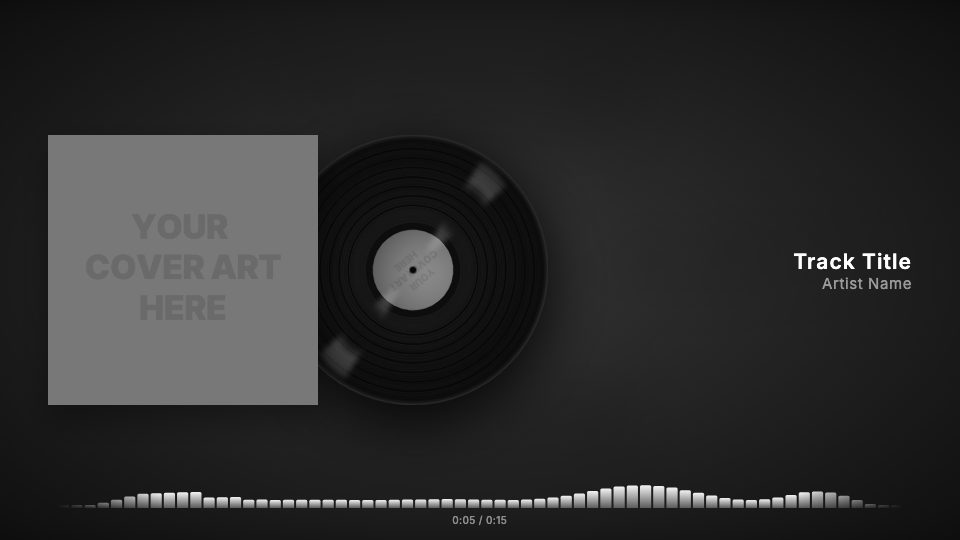
Instead of separate bars, a continuous wave line moves across the bottom of the frame and reacts to the music.
Cyan by default
The wave starts in a bright cyan that stands out on a dark, blurred background. You can change it to any color.
Rounded cover
The artwork has softly rounded corners, which looks closer to an app or card than a hard-edged sleeve.
Portrait 4:5 frame
The cover sits at the top, title and artist are centered below, and the wave and time counter run along the bottom.
At a glance
- Format
- 16:9 · 1920 × 1080 px
- Best for
- YouTube
- Length
- Follows your track
- Also available in
- 9:16, 4:5, 1:1
- You need
- Cover art + audio (MP3, WAV, M4A or AAC)
- Software
- Your browser. No After Effects, no plugins
How to make a Waveform Video without After Effects
- 1
Start from Waveform
Open the preset. The wave, the rounded cover and the 4:5 format are already applied.
- 2
Upload your files
Add the cover art and the audio file (MP3, WAV, M4A or AAC).
- 3
Set the text and color
Type the track title and artist name, and change the wave color if cyan does not match your artwork.
- 4
Export the MP4
Render in the cloud and download the file, ready to post.
When to use it
Instagram feed posts
A 4:5 video takes up more of the screen in the feed than a square or landscape clip.
Ambient and electronic tracks
A smooth wave fits music where hard-hitting bars would feel too busy.
Song snippets and previews
Share a preview of an unreleased track with something moving on screen.
FAQ
Is there a free audio waveform After Effects template?
Yes, but free or paid, it still needs After Effects and some setup with the Audio Waveform effect. visuale gives you a waveform video in the browser without any of that.
Can I customise the waveform?
You can change its color, or switch to another visualizer style such as bars, mirror, dots or a progress bar.
Can I make a waveform video for YouTube instead?
Yes. Switch the format to 16:9 (1920×1080). You can also export a 1:1 square at 1080×1080.
Is this an audiogram?
It works the same way: a still image, your audio and a moving wave. The difference is that it is designed around cover art and track info for music.
How long can the waveform video be?
The video matches the length of your audio, up to five minutes, so a full song fits.
Skip the template download
Drop your cover, add your track and export your Waveform Video in about two minutes.
Make your Waveform Video