You Don't Need After Effects Templates to Make a Club Music Promo Video
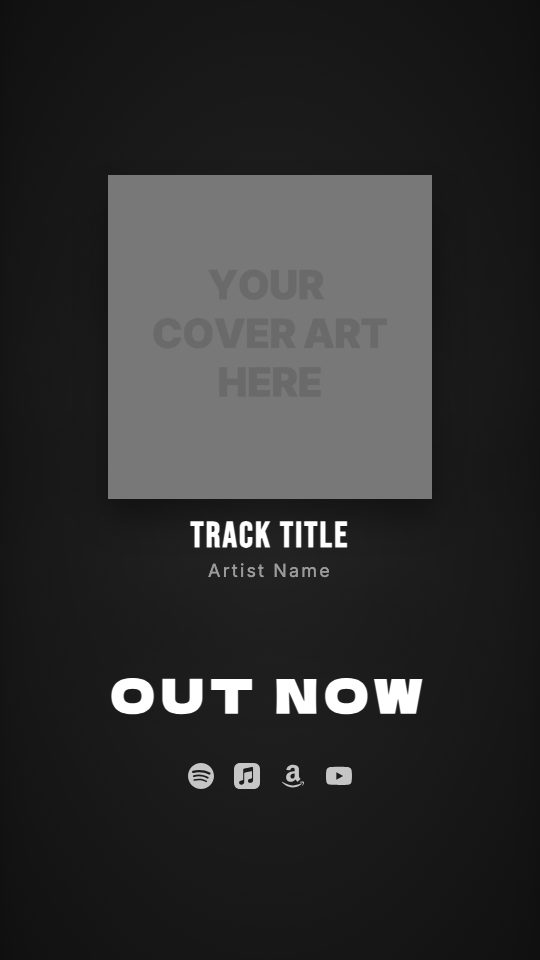
A vertical release clip where the cover and background pump on your kick drum, with fire particles on top.
If you produce house, techno or any track built around a four-on-the-floor kick, you have probably scrolled through "EDM promo" After Effects templates. Most of them want you to set beat markers by hand, link a scale property to an audio amplitude layer and then sit through a render that maxes out your laptop fans.
That is a lot of setup for a 15-second clip that announces a release. The Club Hype look in visuale reads the kick from your track and makes the cover and background pulse with it. You never draw a keyframe or touch an expression.
You upload the cover and the audio, pick the drop, and the video renders in the cloud while you get on with the release-day checklist.
No After Effects, no plugins, no download.
After Effects template vs visuale
| After Effects template | visuale | |
|---|---|---|
| Beat sync | Manual markers or audio-amplitude expressions | Kick detected from your track automatically |
| Software | After Effects, often plus a particles plugin | A browser tab |
| Cost | Adobe subscription plus the template purchase | Start free in the browser |
| Particles | Separate stock pack or plugin setup | Fire particles overlay already on |
| Rendering | On your computer, often slow with effects | In the cloud, you download an MP4 |
| Time to first video | An evening, if the template behaves | About two minutes |
What the Club Music Promo Video looks like
Background that pumps on the kick
The blurred background scales up on every kick drum detected in your audio, so the whole frame moves with the groove.
Cover that pulses too
After it zooms in at the start, your cover keeps a smaller beat pulse of its own, layered over the background movement.
OUT NOW that stomps in
The OUT NOW text slams onto the screen from oversized with a short shake, like it hit the floor on the drop.
Fire particles overlay
Glowing fire particles drift over the scene at high opacity. You can lower it, switch to dust or confetti, or turn it off.
Platform icons at the end
Spotify, Apple Music, Amazon Music, YouTube, SoundCloud and Tidal icons animate in, so people know where to stream.
At a glance
- Format
- 9:16 · 1080 × 1920 px
- Best for
- Stories, Reels, TikTok
- Length
- 15 seconds
- Also available in
- Vertical only
- You need
- Cover art + audio (MP3, WAV, M4A or AAC)
- Software
- Your browser. No After Effects, no plugins
How to make a Club Music Promo Video without After Effects
- 1
Open Club Hype
Use the button on this page. The guided editor opens with the beat pulse, stomp text and fire particles already set.
- 2
Add your cover and names
Upload your square cover art and type the artist and track names. The preview shows the pulse right away.
- 3
Upload the track and choose the drop
Add an MP3, WAV, M4A or AAC file and drag the 15-second window onto the drop, where the kick hits hardest.
- 4
Pick platforms and export
Switch on the streaming services the track is on, then export. The MP4 renders in the cloud and downloads when ready.
When to use it
Release-day Reels and TikToks
Post a vertical clip of the drop the moment the track goes live on streaming.
DJ edits and bootlegs
Announce a free download or a new edit with a clip that moves like the dance floor.
Label release schedules
Make one clip per release with the same look, swapping only cover, names and audio.
Event or set teasers
Use your own background video of the crowd and keep the beat pulse and particles on top.
FAQ
Is there a free After Effects template for club or EDM promos?
Some free ones exist, but you still need After Effects to open them and usually have to sync the motion to the beat yourself. visuale runs in the browser and does the beat sync from your audio.
How does the video find the beat?
It analyzes the kick drum in the part of the track you selected and drives the background and cover pulse from it. Tracks with a clear kick give the strongest effect.
Can I customize how strong the pulse is?
Yes. The background and the cover each have their own amount setting. You can also change the cover animation, the OUT NOW animation and the fonts.
Can I remove or change the fire particles?
Yes. Lower the FX opacity, switch to the dust or confetti overlay, or turn the FX off entirely.
What size and length is the video?
Vertical 9:16 at 1080 × 1920, 30 fps, 15 seconds. It fits Instagram Reels, TikTok, YouTube Shorts and Stories.
Can I use my own background clip?
Yes. Upload an image or a video as the background. By default the template uses a blurred version of your cover.
Skip the template download
Drop your cover, add your track and export your Club Music Promo Video in about two minutes.
Make your Club Music Promo Video